
Description
-
Conceived for Pizza Delivery Businesses, but flexible enough to serve any restaurant type.
-
Maintain your restaurant menu online and accept cash on delivery orders.
-
Set categories, multiple prices per item and descriptions.
-
Several layouts inbuilt(Default, Responsive, Grid).
-
New order notifications.
-
Opening/Closing times per day.
-
Allow tips/gratuities.
-
Simple discounts.
-
Multiple taxrates.
-
Order reports.
-
Multilingual Frontend (just update labels in admin settings page and/or widget as required). WPML compatible.
-
Multisite enabled.
-
Keeps track of your online orders.
-
Shortcode enabled. (see complete shortcode list)
-
Many other additional options inbuilt.
To see the plugin in action with different themes try it at demo.wp-pizza.com
If you wish to allow your customers to add additional ingredients to any given menu item, have a look at the premium “WPPizza Add Ingredients” extension
Premium extensions available:
- Add Ingredients (Toppings) — (Demo)
- Delivery By Post/ZipCode — (Demo)
- Cross-Sells — (Demo)
- Pickup Prices — (Demo)
- Preorder — (Demo)
- Stockmanagement — (Details / Screenshots)
- Coupons and Discounts — (Demo)
- Timed Menu — (Demo)
- Rewards — (Details / Screenshots)
- Confirm | Reject | Notify — (Details / Screenshots)
- PDF Invoices — (Details / Screenshots)
- Mailinglists — (Details / Screenshots)
- Autoprint — (Details / Screenshots)
- Goodcom Printers — (Details / Screenshots)
Additional payment gateways to process credit card payments instead of just “Cash on Delivery”
Translations provided by:
- Italien: Silvia Palandri
- Hebrew: Yair10 [הלב בניית אתרים ]
- Dutch: Jelmer
- Spanish: Andrew Kurtis at WebHostingHub
- German: Franz Rufnak, Witali Opfer
Many, many thanks guys and girls.
Note: As the plugin gets updated over time and has some other strings and features added, the translations above (and future ones) are likely to have some not-yet-translated strings. If you wish, feel free to provide any of those missing and I will update the translations accordingly.
If you want to contribute your own translation, feel free to send me your files and I will be more than happy to include them.
Demo Icons:
Please note that the icons used in the demo installation are iconarchive.com icons and not for commercial use.
If you do wish to use any icon from this set commercially, please follow this link to purchase it.
Allergen/Foodtype Icons (credit where credit is due):
Allergen/Foodtype Icons — though modified and with the exceptions stated below — are courtesy of icon-icons.com
Foodtype Vegetarian/Vegan Icons courtesy of vectorstock.com
Halal/Kosher Icons specifically created for this plugin.
Note: Allergen/Foodtype Icons included with this plugin can be used on your site ‘as is’ and without any attribution
Loading Icon:
“Double Ring” Loading Icon SVG (v3.13+) generated at loading.io
Screenshots
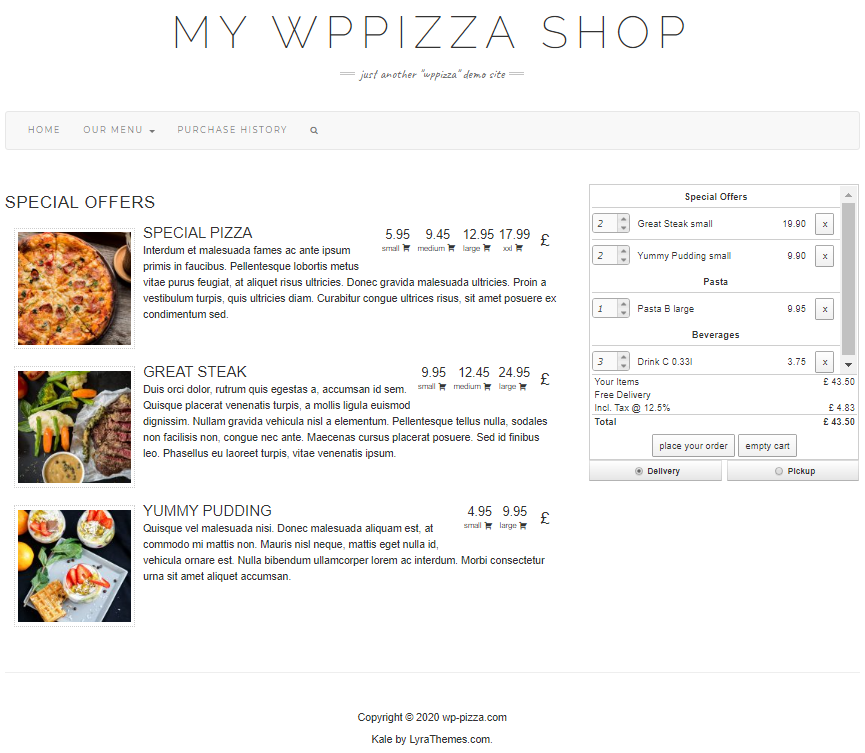
Frontend 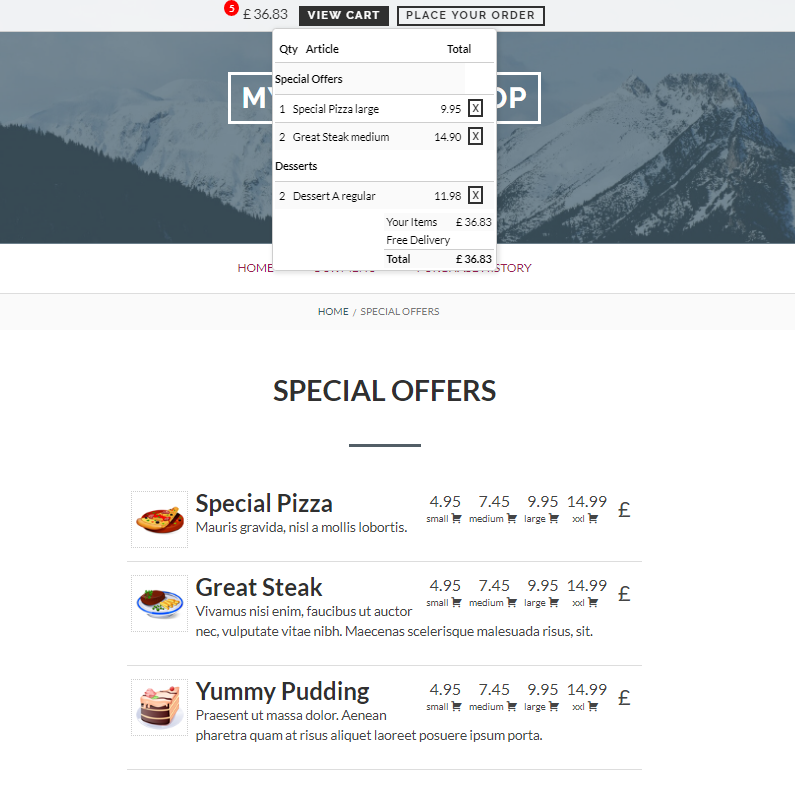
Frontend (Different Theme) — minicart only 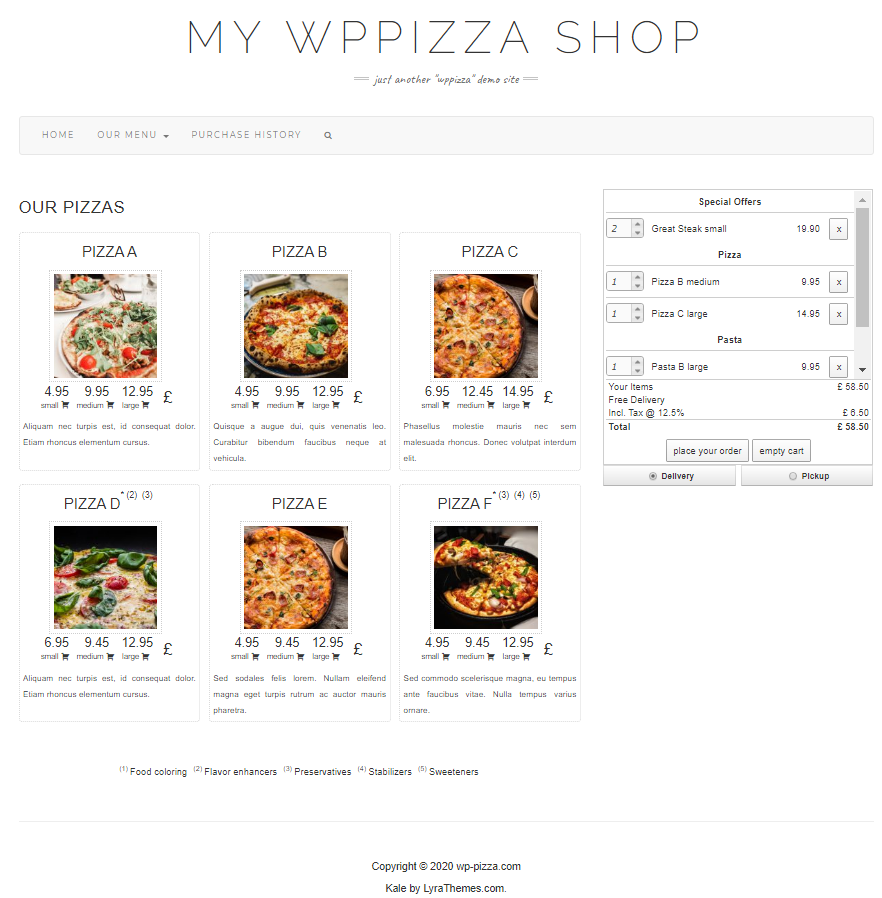
Frontend — Grid Layout 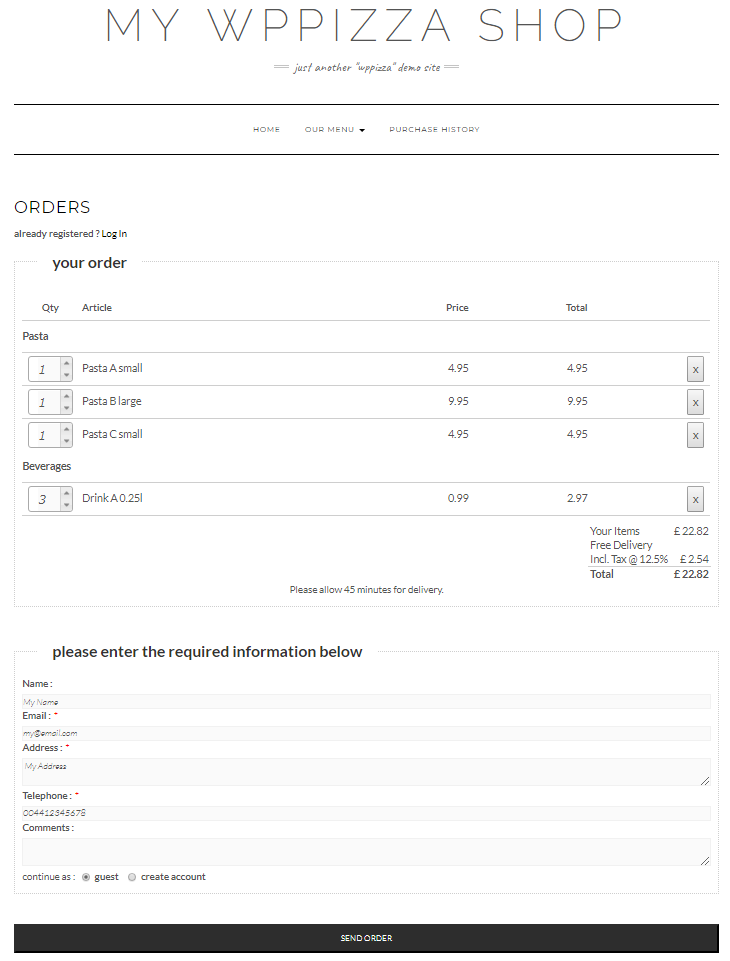
Frontend — Order Page 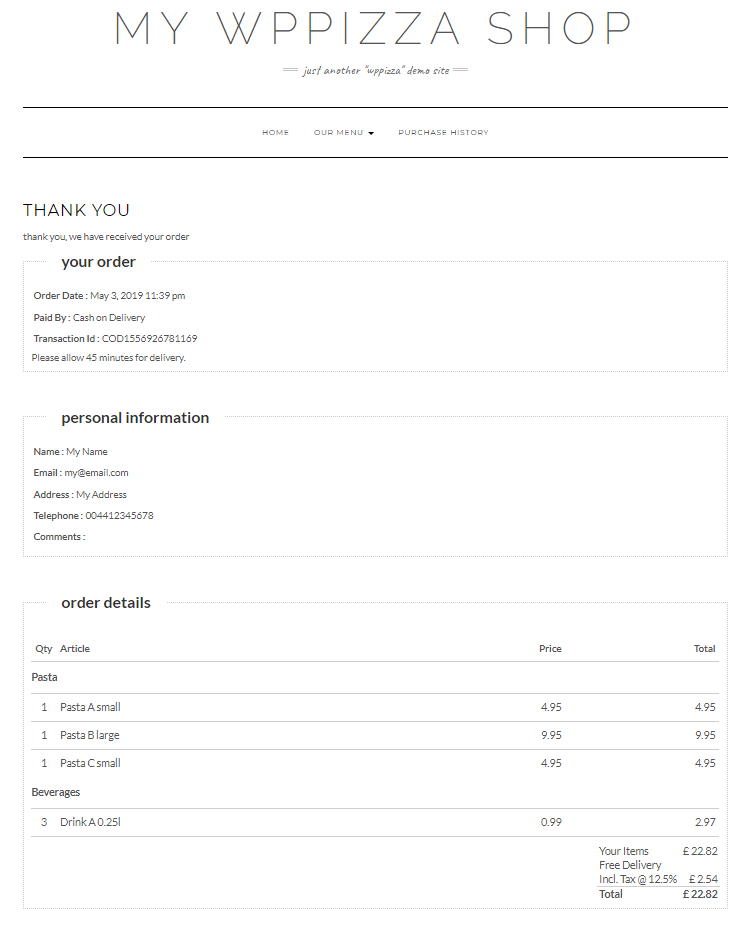
Frontend — Thank You Page 
Frontend — Purchase History (registered user) 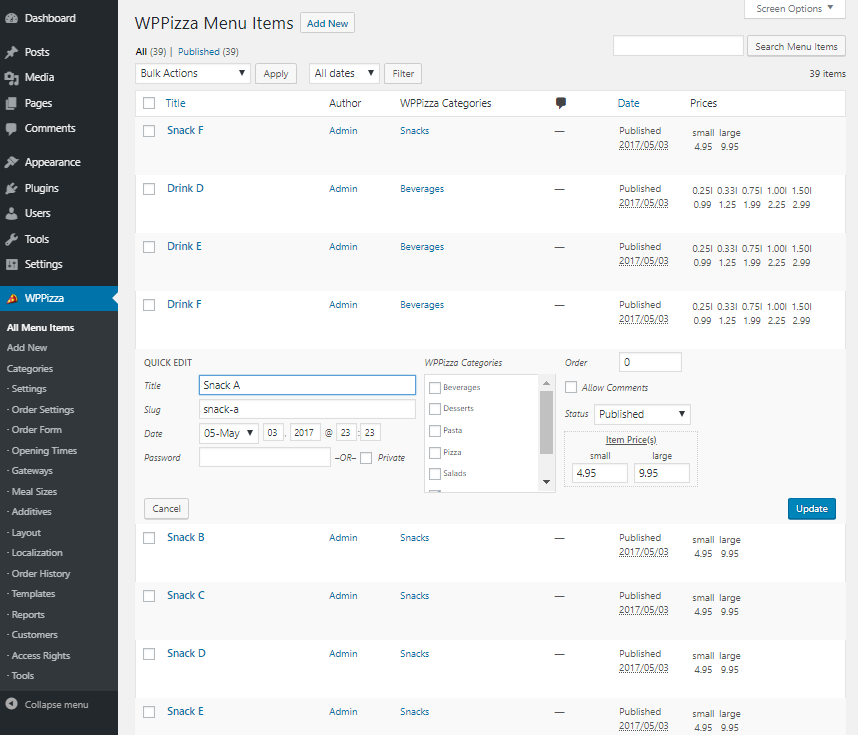
Admin — Menu items — quick edit 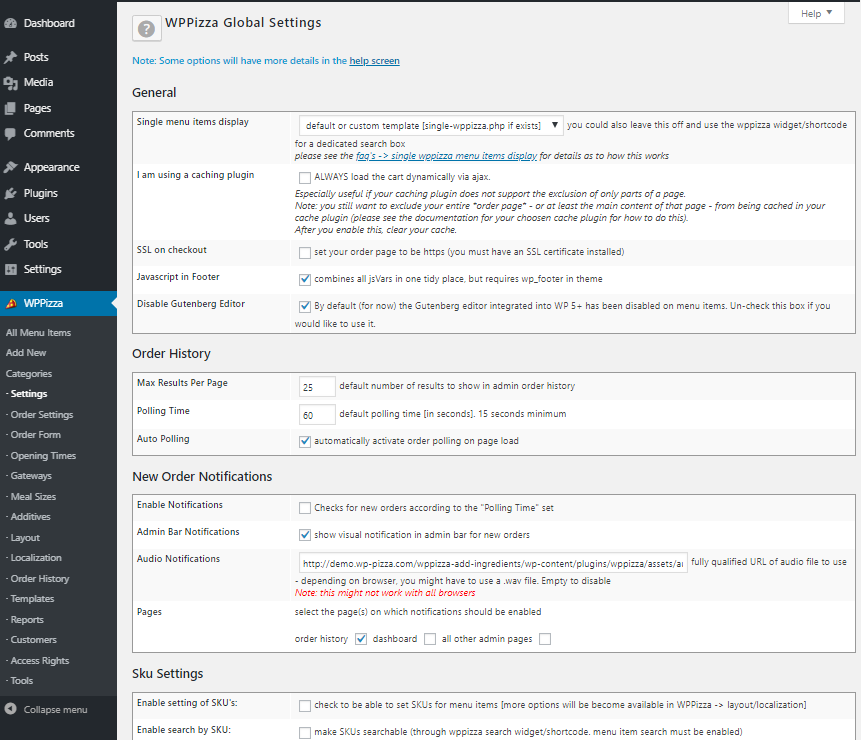
Admin — Global Settings (excerpt) 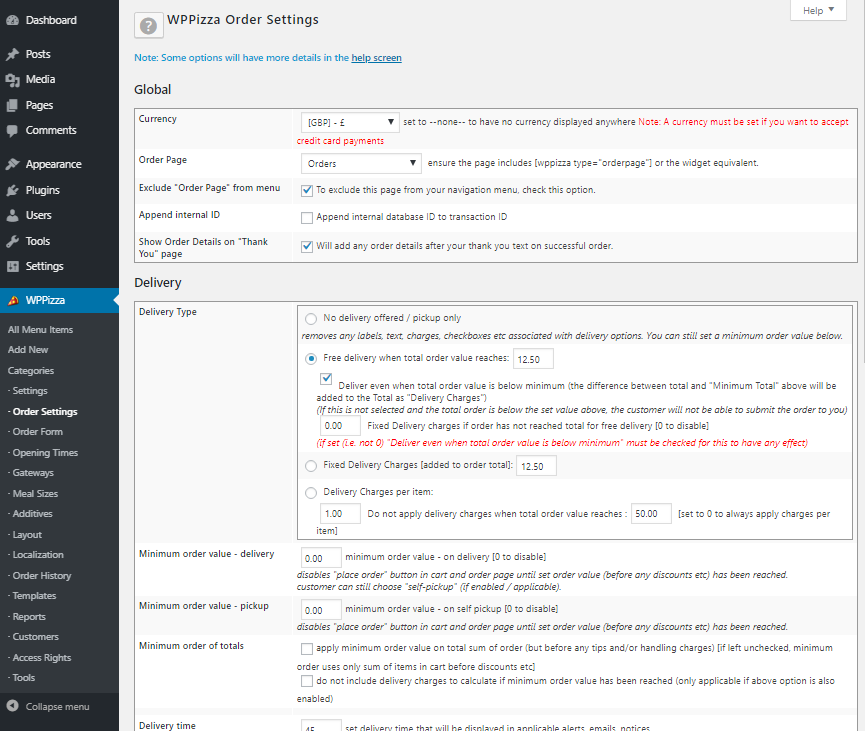
Admin — Order Settings (excerpt) 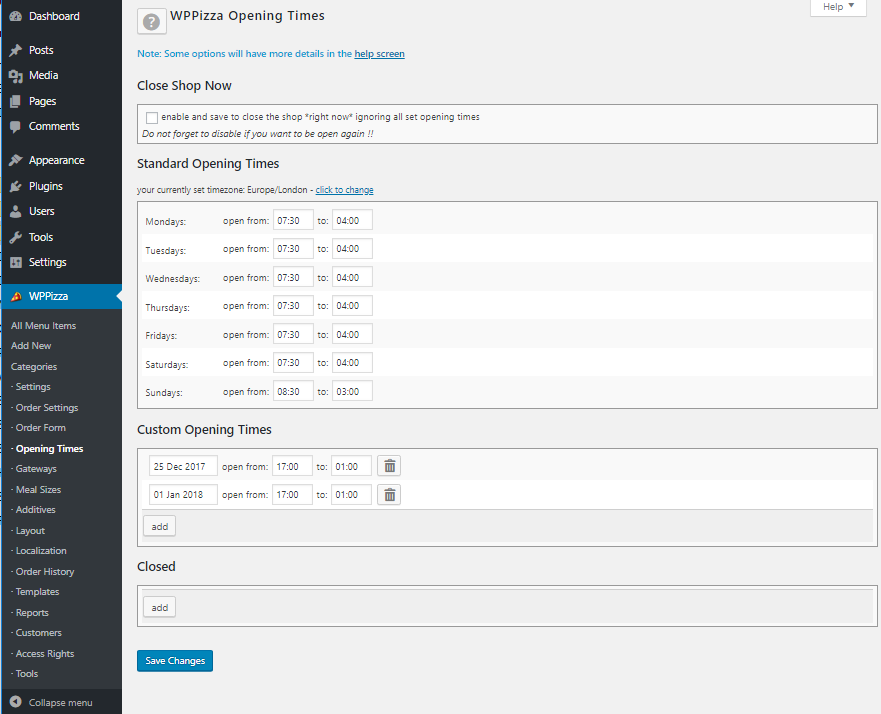
Admin — Opening Times 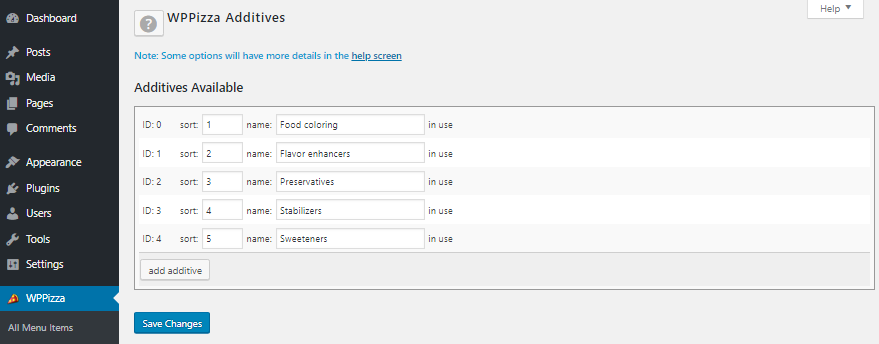
Admin — Additives 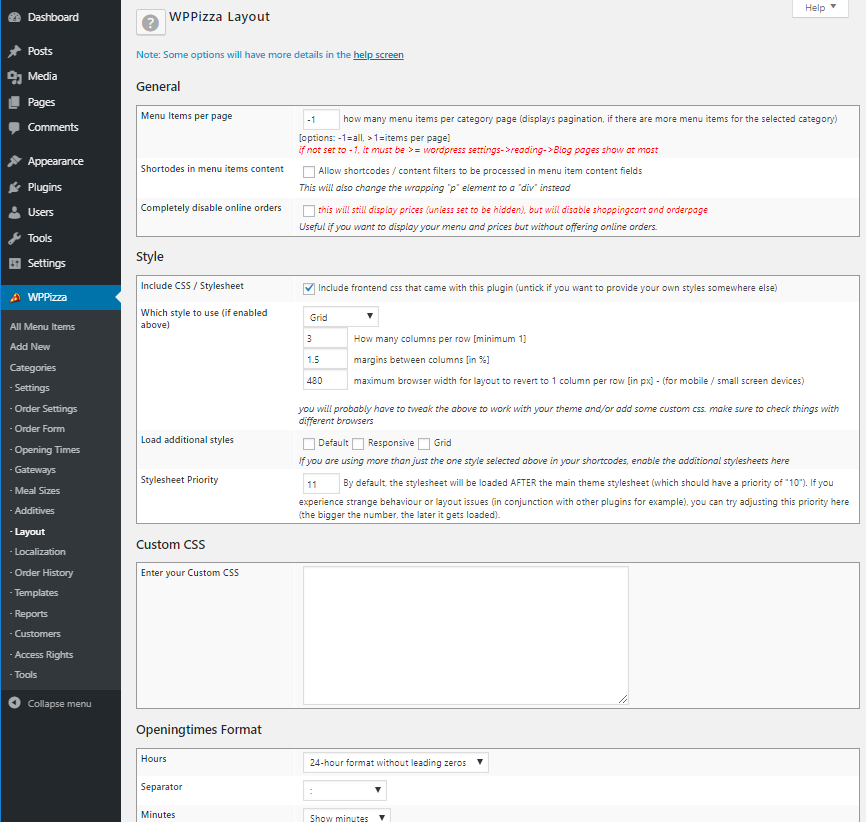
Admin — Layout (excerpt) 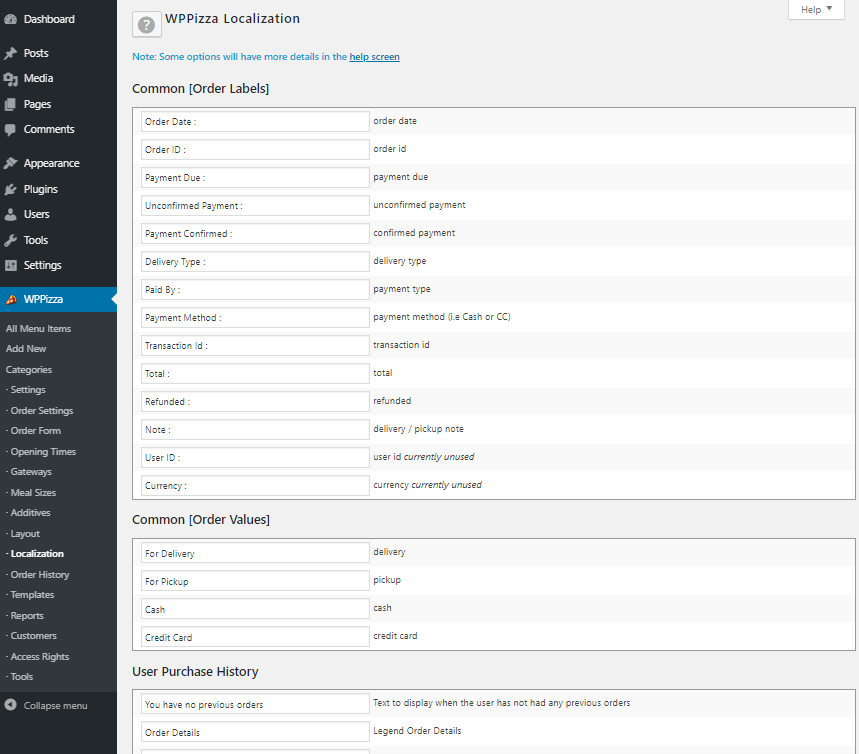
Admin — Localization (excerpt) 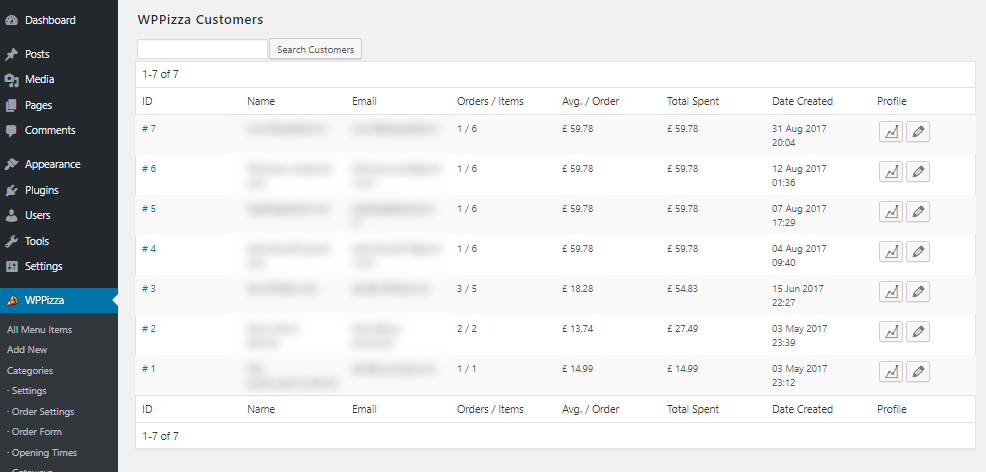
Admin — Registered customers 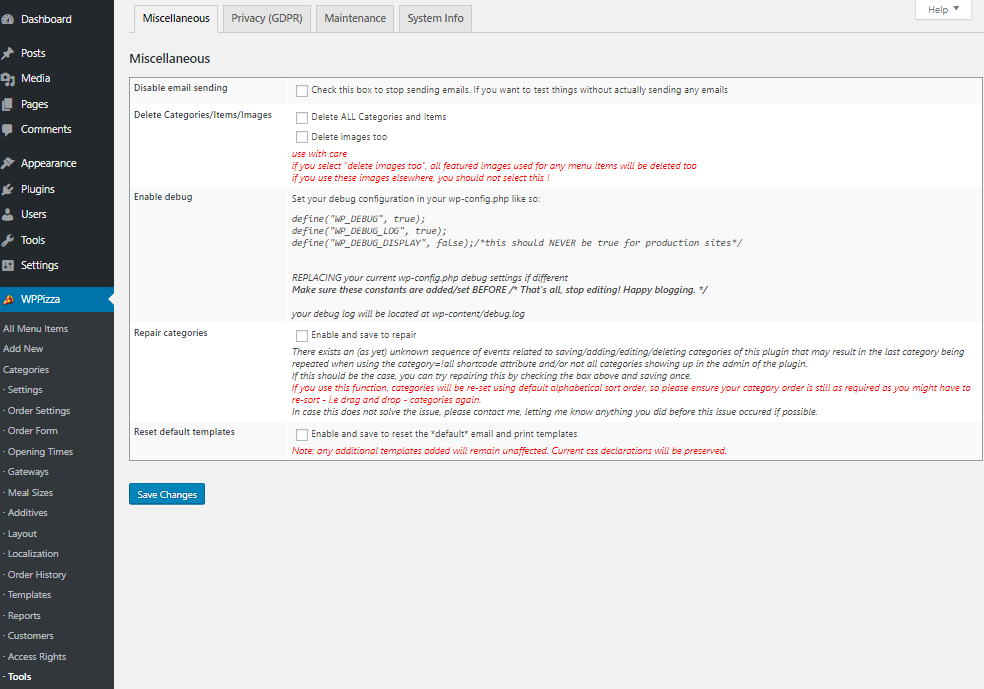
Admin — Tools 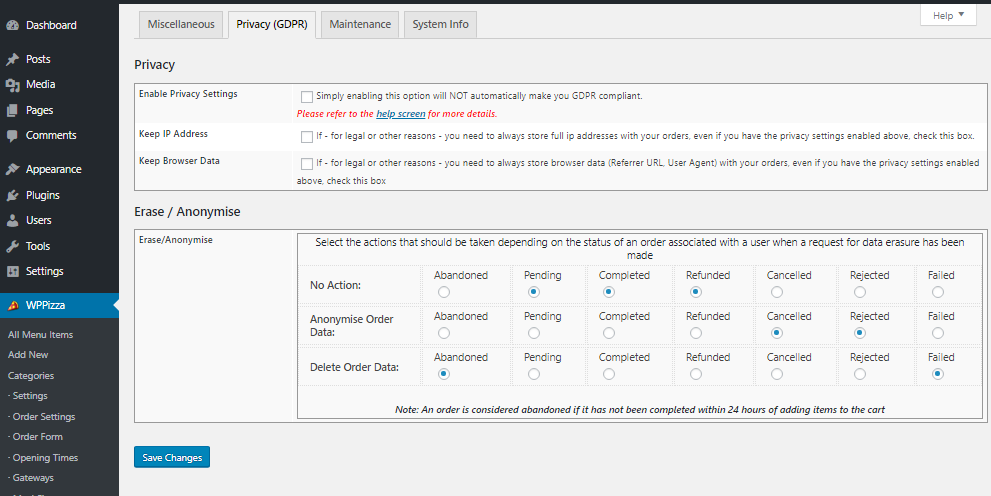
Admin — Tools (GDPR) 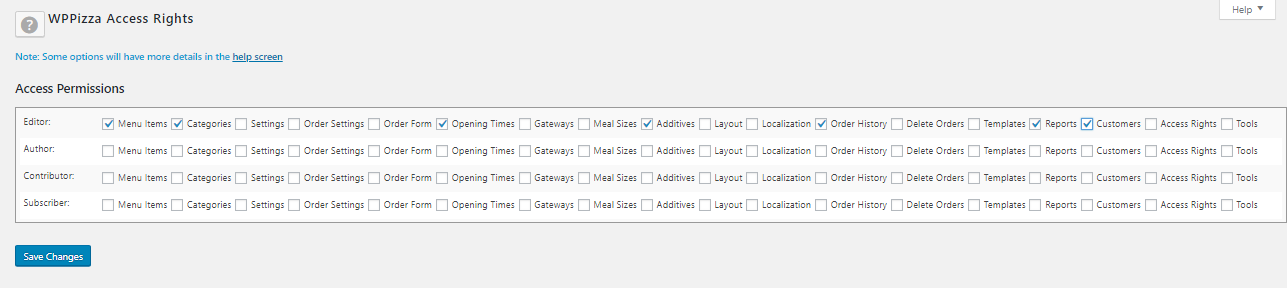
Admin — Access Rights 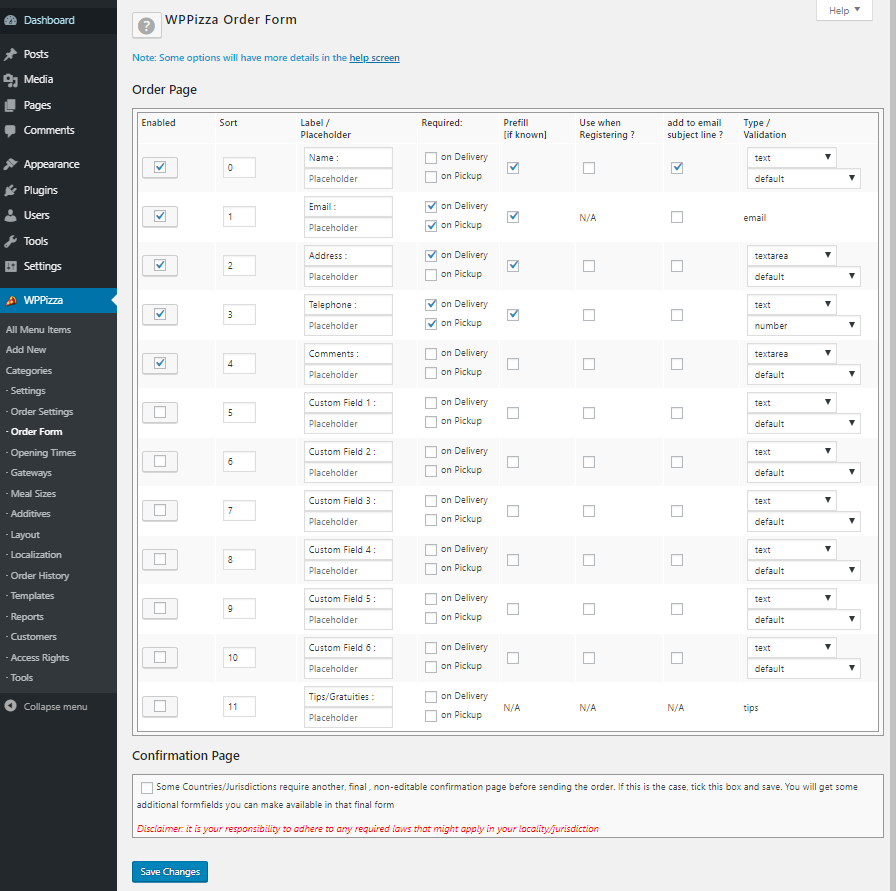
Admin — Order Form 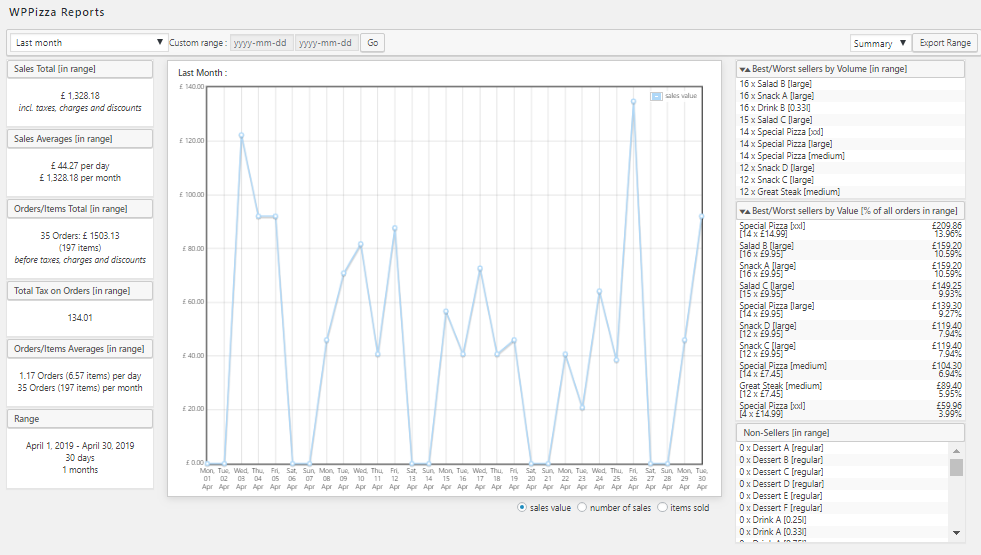
Admin — Sales Reports 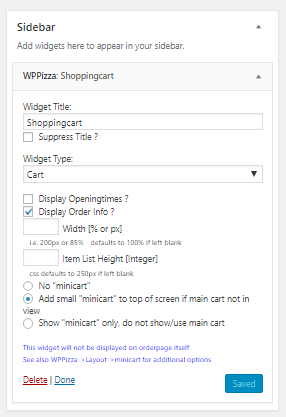
Admin — Widget
Installation
Install
- Download the plugin and upload the entire
wppizzafolder to the/wp-content/plugins/directory.
Alternatively you can download and install WPPizza using the built in WordPress plugin installer. - Activate the plugin through the ‘Plugins’ menu in WordPress.
- You will find all configuration and menu options in your administration sidebar
Things to do on first install
For consistency, this document has now moved to the following location :
https://docs.wp-pizza.com/getting-started/?section=setup
** I strongly encourage you to read it **
Uninstall
Please note:
Although all options, menu items and menu categories get deleted from the database along with the table that holds any orders you may have received, you will manually have to delete any additional pages (such as the order page for example) that have been created as i have no way of knowing if you are using this page elsewhere or have changed the content/name of it.
The same goes for the 3 example icons that come with this plugin as they might be in use elsewhere.
FAQ
-
General Faq’s
-
for consistency and manageability the faq’s have been moved to https://docs.wp-pizza.com/faqs/
-
Shortcodes
-
please refer to https://docs.wp-pizza.com/shortcodes/
-
How can I submit a bug, ask for help or request a new feature?
-
- leave a message on the wordpress forum and I’ll respond asap.
- send an email to dev[at]wp-pizza.com with as much info as you can give me or
-
use the “contact form”, “feature request” page or support forum on www.wp-pizza.com
additional premium add-ons can be found at www.wp-pizza.com
Reviews


Contributors & Developers
“WPPizza — A Restaurant Plugin” is open source software. The following people have contributed to this plugin.
Contributors
“WPPizza — A Restaurant Plugin” has been translated into 1 locale. Thank you to the translators for their contributions.
Translate “WPPizza — A Restaurant Plugin” into your language.
Interested in development?
Browse the code, check out the SVN repository, or subscribe to the development log by RSS.
Changelog
3.20
* Fix: Chrome print dialogue
* Fix: Some potential vulnerabilities
* Tweak: Made some text inputs to number inputs where applicable
* Tweak: Admin css for WP 7+
* Tweak: Translator comments added where applicable, added ‘default’ textdomain to textstrings where applicable
* General Maintenance, additional escaping, sanitisations etc
* Tested up to: WP 7
14th April 2026
3.19.9
* Fix: fixed value tips displayed as percentages
* Fix: tips ignored when using confirmation page
* Update: tips persistent once set/reset until order is placed
* Fix: Some admin nag notices were not dismissable
16th Feb 2026
3.19.8.3
* Added: ‘wppizza_on_order_cancel’, ‘wppizza_on_order_expired’, ‘wppizza_on_order_failed’, ‘wppizza_on_order_reject’, ‘wppizza_on_order_refund’ action hooks
07th Nov 2025
3.19.8.2
* Fix: Nonce may have been missing on some admin pages — depending on setup
28th Aug 2025
3.19.8.1
* Fix: Not able to save post meta values (in 3.19.8).
19th Aug 2025
3.19.8
* Security update. Minor tidyup.
18th Aug 2025
3.19.7.4
* Fix: allow a zero value in customer select values
26th July 2025
3.19.7.3
* Fix: stricter type casting to avoid potential php 8.3+ issues
* Fix: couple of potantial php notices eliminated
22nd July 2025
3.19.7.2
* Tested: upTo WP 6.8
* Maintenance: a slightly stricter sanitisation and escaping in a few places
24th April 2025
3.19.7.1
* Fix: some edgecase php notices eliminated
7th April 2025
3.19.7
* Added: allow for absolute values in tips dropdown selection
* Tweak: minor css changes in popup boxes
* Tweak: minor css changes in tips fields
* Fix: some potential php notices eliminated
* Fix: misspelled function name, potentially causing fatal errors in edge cases
* Dev: Adding some more globally available validation functions
* Dev: Adding more flexibility to some globally available validation functions
* Dev: Improved plugin development helper function (wppizza_phi_validate)
2nd April 2025
3.19.6
* Fix: Some input sanitisation unnecessarily strict potentially causing problems
18th February 2025
3.19.5
* General: Some Maintenance / Tidy up / Security Fix
10th February 2025
3.19.4
* Added: action hooks before pickup/delivery via _GET parameter redirections
* Tweak: now requires distinct enabling of pickup/delivery via _GET parameter (WPPizza->Order Settings)
18th December 2024
3.19.3
* General: Some Maintenance/ Tidy up
* Added: ability to set pickup/delivery via _GET parameter (?pickup | ?delivery) in url
16th December 2024
3.19.2
Tweak: replaced “thank you page” ‘the_content’ filter in favour of setting shortcode for compatibility improvements in some cases
09th December 2024
3.19.1
* Fix: Translations not loaded with WP 6.7
* Updated: some admin strings, associated translations and textdomains
* Added: Make translation path to po/mo files filterable
18th November 2024
3.19
* Maintenance Release
11th July 2024
3.16 — 3.18.x
* changelogs for versions 3.16 to 3.18.x can be found in /wppizza/changelogs/
3.0 — 3.15.x
* changelogs for versions 3.0 to 3.15.x can be found in /wppizza/changelogs/
1.0 — 2.16.11.28
* changelogs for versions up to 3.0 can be found in /wppizza/changelogs/